
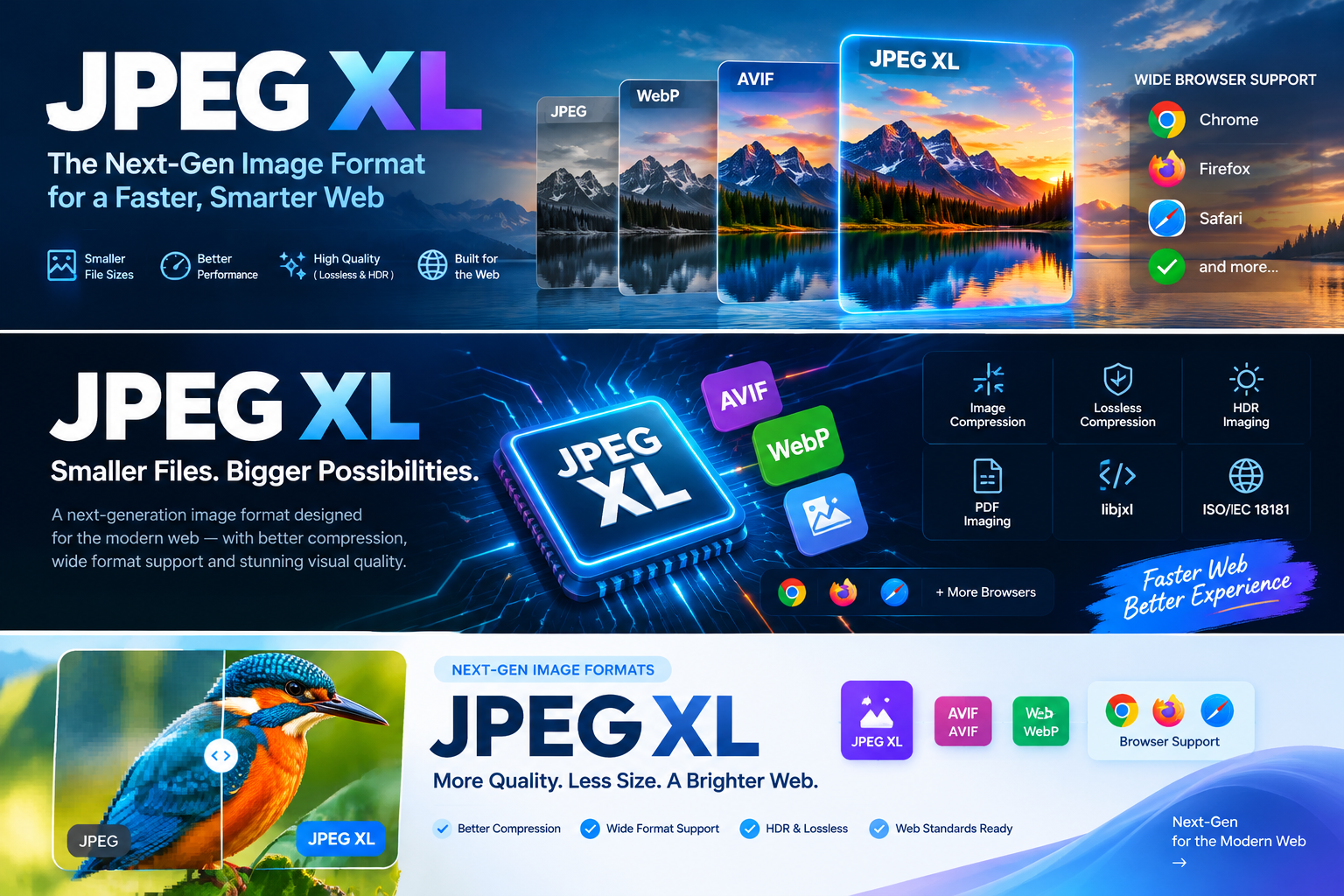
JPEG XL Explained: Features, Benefits, and Adoption Challenges
JPEG XL is a next-generation image format with 30–50% better compression than JPEG. Learn how it works, how it compares to AVIF and WebP, and its bumpy road to browser adoption.
Introduction
For nearly three decades, JPEG has been the default image format of the web. It is ubiquitous, well-understood, and supported by virtually every device and browser ever made. It is also deeply outdated. JPEG was standardized in 1992, before the modern web, before high-dynamic-range displays, and before anyone worried about bandwidth costs at the scale of billions of daily image requests.
JPEG XL is the most serious attempt yet to replace it. Developed by the Joint Photographic Experts Group and standardized as ISO/IEC 18181, JPEG XL is a royalty-free image codec designed to do everything JPEG, PNG, GIF, WebP, AVIF, and HEIC can do—and do it better. It offers 30–50% better compression than JPEG at equivalent visual quality, supports both lossy and lossless encoding, and includes a feature that no other modern codec has: the ability to losslessly recompress existing JPEG files, reducing their size by roughly 20% while allowing byte-for-byte exact reconstruction of the original.
But technical superiority has never been sufficient for format adoption. JPEG XL’s journey has been anything but smooth: it was removed from Chrome in 2022 after being labeled “obsolete,” only to be restored in 2026 following sustained developer pressure and a ground-up Rust rewrite of its decoder. Firefox enabled support by default in October 2026, and Safari has supported it since version 17.
This article explains what JPEG XL is, how it works, what makes it technically distinctive, how it compares to competing formats, and what its turbulent adoption history means for developers, photographers, and anyone who publishes images online.
Key Takeaways
- JPEG XL is a royalty-free ISO standard (ISO/IEC 18181) designed to replace JPEG, PNG, GIF, and other legacy raster formats with a single universal codec.
- It delivers 30–50% better compression than JPEG at equivalent visual quality, and its lossless JPEG recompression can shrink existing JPEG libraries by about 20% with bit-exact reversibility.
- Full browser support has finally arrived in 2026: Chrome 155 and Firefox 158 both ship with native JPEG XL decoding enabled by default, while Safari has supported the format since 2023.
- The format’s history illustrates how corporate strategy, not technical merit alone, shapes web standards: Chrome removed JPEG XL in 2022, then reversed course in 2026 after adopting a memory-safe Rust decoder.
- JPEG XL and AVIF are complementary rather than strictly competitive: AVIF often wins at low-to-mid quality for photographic content, while JPEG XL excels at high quality, progressive decoding, and archival use cases.
- The PDF Association has adopted JPEG XL as its preferred solution for high-end imaging in PDF, citing its ability to handle images exceeding 1 billion pixels and up to 32 bits per channel.
What Is JPEG XL?
JPEG XL is a raster graphics file format that supports both lossy and lossless compression. It is developed by the Joint Photographic Experts Group (the same committee responsible for the original JPEG standard) and standardized by ISO and IEC as ISO/IEC 18181. The name reflects its lineage: “JPEG” identifies the committee, “X” denotes the series of image coding standards published since 2000 (JPEG XT, XR, and XS), and “L” stands for “long-term,” signaling the intent to create a future-proof successor to JPEG/JFIF.
The Problem JPEG XL Was Designed to Solve
Before JPEG XL, choosing an image format meant making trade-offs. JPEG offered small file sizes but no transparency, no animation, and poor performance at high quality levels. PNG supported lossless compression and transparency but produced large files for photographic content. GIF was limited to 256 colors. WebP improved on JPEG and PNG but still had limitations for high-quality and professional imaging. AVIF offered excellent lossy compression but lacked lossless JPEG recompression and some advanced features.
JPEG XL was designed as a universal replacement: a single format that could handle every common image use case without forcing developers to select different codecs for different tasks. According to the official JPEG XL overview, the format “can do everything that JPEG, PNG, GIF, TIFF, BMP, WebP, AVIF, and HEIC can do, and more”.
Core Design Requirements
The format was built around two primary requirements: high visual quality (visually lossless at reasonable bitrates) and fast decoding (multithreaded decoding reaching approximately 400 megapixels per second on large images). These goals apply across diverse image types, including HDR content, which is supported through full-precision floating-point computation and extensive color space handling.
How JPEG XL Works
JPEG XL’s compression architecture is built on a traditional block-transform model, but with substantial improvements at every stage. Understanding the core mechanisms helps explain why it achieves better compression than older formats.
Two Encoding Modes
JPEG XL uses two distinct encoding modes:
Modular mode is a lossless compression mode based on the Free Universal Image Format (FUIF), which itself descended from the Free Lossless Image Format (FLIF). It excels at synthetic images, graphics, and lossless compression of photographic content. In practice, modular mode produces files roughly 60–75% the size of PNG and smaller than WebP lossless for photos.
VarDCT mode is a lossy compression mode based on the PIK format, originally developed by Google’s Zurich research team. It uses variable-size transforms (from 2×2 up to 32×32), adaptive quantization, and a perceptually optimized color space.
The XYB Color Space
One of JPEG XL’s most distinctive technical innovations is the XYB color space. Unlike traditional RGB or YCbCr representations, XYB is designed to be perceptually uniform: it approximates how the human visual system actually processes color information. The encoder converts linear RGB into XYB before compression, and the decoder converts back after decompression. This perceptual modeling allows JPEG XL to allocate bits more efficiently, spending fewer bits on details the human eye is unlikely to notice.
Lossless JPEG Recompression
JPEG XL’s most unusual feature is its ability to losslessly recompress existing JPEG files. The encoder analyzes a JPEG’s internal structure—its quantization tables, DCT coefficients, and entropy coding—and represents the same information more efficiently using JPEG XL’s coding tools. The file shrinks by roughly 20%, and the decoder can reconstruct the original JPEG byte-for-byte.
This feature is strategically important because it provides a migration path. A website can serve JPEG XL files to supporting browsers while maintaining the ability to fall back to the original JPEG for older clients—from a single stored file. According to the JPEG committee, this “reduces storage costs because servers can store a single JPEG XL file to serve both JPEG and JPEG XL clients”.
Progressive and Responsive Decoding
JPEG XL supports progressive decoding, meaning an image can be rendered at low resolution or low quality first, then refined as more data arrives. The format’s file structure allows arbitrary decompositions by resolution, bit depth, quality, or spatial region, and passes can be appended without a higher-level table of contents that would prevent streaming. This makes JPEG XL particularly well-suited for responsive web environments where the same image may be displayed at vastly different sizes on different devices.
Key Features of JPEG XL
Beyond compression efficiency, JPEG XL includes a comprehensive feature set that no single competing format matches. The JPEG committee’s overview lists the following capabilities:
| Feature | Description |
|---|---|
| Lossy and lossless | Both modes in a single codec; the encoder chooses the appropriate mode |
| Lossless JPEG recompression | Existing JPEGs shrink ~20% with bit-exact reconstruction |
| Wide color gamut | Support for color spaces beyond sRGB |
| High dynamic range | Full HDR support via floating-point computation |
| High bit depth | Up to 32 bits per channel |
| Animation | Multi-frame images with efficient inter-frame prediction |
| Alpha channels | Transparency support in both lossy and lossless modes |
| Layers | Multiple composited layers in a single file |
| Thumbnails | Embedded low-resolution previews |
| Progressive coding | Gradual refinement from low to high quality |
The format is also designed for computationally efficient software encoding and decoding without requiring hardware acceleration, even on mobile devices. According to the JPEG committee, the codec allows users to balance three primary criteria: high fidelity to the source, encoding/decoding speed, and compression ratio (typically 20:1 to 50:1).
JPEG XL vs. AVIF vs. WebP vs. JPEG
Image format comparisons are inherently dependent on the metric used to measure quality. Different quality models produce different rankings, and no single format dominates across all conditions.
Compression Efficiency
Independent benchmarking research comparing AVIF, JPEG XL, WebP, and JPEG on web images found that AVIF and JPEG XL both deliver comparable perceptual quality at significantly lower file sizes than WebP and JPEG when measured with SSIMULACRA2. However, under the Butteraugli distortion model—a perceptual metric developed alongside JPEG XL—JPEG XL consistently edges ahead of AVIF, illustrating how metric choice affects codec rankings.
A separate benchmark from mid-2026 concluded that AVIF is often the smallest format at low-to-mid quality tiers, while JPEG XL wins at high quality and for photographic content where fidelity matters most. Another analysis found that JPEG XL images can be up to 25% smaller than AVIF at equivalent quality, though this advantage depends heavily on the encoder settings and image content.
Feature Comparison
| Dimension | JPEG | WebP | AVIF | JPEG XL |
|---|---|---|---|---|
| Lossy compression | Yes | Yes | Yes | Yes |
| Lossless compression | No | Yes | Yes | Yes |
| Lossless JPEG recompression | — | No | No | Yes |
| Animation | No | Yes | Yes | Yes |
| Transparency | No | Yes | Yes | Yes |
| HDR support | No | Limited | Yes | Yes |
| Progressive decoding | Yes | No | Yes | Yes |
| Bit depth | 8-bit | 8-bit | Up to 12-bit | Up to 32-bit |
| Royalty-free | Yes | Yes | Yes | Yes |
| Browser support (2026) | Universal | Universal | Broad | Broad (all major) |
Practical Guidance
For most web images at typical quality settings, AVIF and JPEG XL perform similarly enough that the choice often comes down to ecosystem factors. AVIF has broader historical support and is already widely deployed. JPEG XL offers advantages for high-quality photographic workflows, progressive rendering, and archival use cases—particularly where lossless JPEG recompression or very high resolution is required.
Adoption Timeline: From Removal to Restoration
JPEG XL’s path to browser support has been unusually turbulent, and understanding that history is essential to understanding its current position.
2019–2022: Standardization and Early Support
JPEG XL was developed from two predecessor formats: FLIF/FUIF (for modular lossless coding) and PIK (for lossy transform coding), both selected as starting points in 2018. The standard completed its Committee Draft in 2019, and the reference implementation was released under a royalty-free, open-source license.
Chrome added experimental support behind a flag in version 91 (2021), and Firefox did the same in version 90. Safari did not add support during this period.
2022: Chrome Removes JPEG XL
In late 2022, Google’s Chromium team made a decision that shocked the format’s proponents: JPEG XL support was deprecated and then removed from Chrome. Google cited “insufficient ecosystem interest,” “limited benefits compared to existing formats,” and maintenance burden as reasons for the decision. The move was widely criticized; Jon Sneyers, a co-developer of JPEG XL, suspected an internal conflict between JPEG XL proponents and representatives of Google’s competing formats, AVIF and WebP. Critics argued that the technical superiority of JPEG XL was being ignored for corporate strategy.
2023–2025: Safari Leads, PDF Association Endorses
While Chrome remained without support, the ecosystem around JPEG XL continued to develop. Safari 17, released in September 2023, added JPEG XL support. This was significant: Apple’s adoption demonstrated that a major browser vendor considered the format worth supporting.
In November 2025, the PDF Association announced that JPEG XL would be adopted into the official PDF specification as the “preferred solution” for high-end imaging. Peter Wyatt, CTO of the PDF Association, cited the format’s ability to handle HDR content, images exceeding 1 billion pixels, and up to 32 bits per channel across 4,099 channels. This endorsement made it increasingly difficult for Chrome to justify the “obsolete” label.
2025–2026: Google Reverses Course
In late 2025, Google engineers began reconsidering JPEG XL support. A key technical factor was the development of jxl-rs, a memory-safe JPEG XL decoder written in Rust. The original libjxl reference implementation, written in C++, was over 100,000 lines of multithreaded code and had been cited as a security concern. The Rust decoder, developed by the libjxl organization, aimed to be “conforming, safe, and fast”.
Chrome merged JPEG XL decoding back into the Chromium codebase in January 2026. Chrome 145 shipped with native support in February 2026, and by October 2026 the feature had matured through Chrome 155. Google also participated in the Interop 2026 JPEG XL Investigation, an effort to improve cross-browser interoperability.
Firefox Joins
Mozilla formally announced plans to ship JPEG XL in Firefox in August 2026, using the same jxl-rs Rust decoder. Firefox 158, released on October 12, 2026, enabled JPEG XL support by default on all platforms, and the browser’s default HTTP Accept header now includes image/jxl.
Current Browser Support (October 2026)
| Browser | JPEG XL Support | Since |
|---|---|---|
| Safari | Partial support | Version 17 (2023) |
| Chrome | Native support | Chrome 145 (Feb 2026), matured in Chrome 155 |
| Firefox | Native support by default | Version 158 (Oct 2026) |
| Edge | Not supported | — |
| Opera | Behind a flag | Since version 77 |
Edge remains the notable holdout among major desktop browsers. On the software side, support is broader: ImageMagick, libvips, FFmpeg, GDAL, ExifTool, and many other tools have integrated JPEG XL support.
Adoption Challenges and Limitations
Despite achieving broad browser support in 2026, JPEG XL faces several real challenges that potential adopters should understand.
The Corporate Strategy Problem
JPEG XL’s removal from Chrome in 2022 was a powerful reminder that web standards adoption is not purely a technical decision. Google controls the Chromium codebase, which powers Chrome, Edge, Opera, and many other browsers. The company’s simultaneous backing of AVIF and WebP created an inherent conflict of interest. As one analysis put it, the format “was being sacrificed to favor AVIF, a rival format backed by Google”. Even with Chrome’s reversal, the three-year gap in support left a lasting impression on developers who had invested in the format early.
Fragmented Feature Support
Even where browsers support JPEG XL decoding, feature support is not uniform. Safari’s implementation is partial: it can open JPEG XL images but the Preview app cannot save them, and animated JPEG XL remains restricted. This fragmentation complicates deployment decisions for developers who rely on advanced features like animation or layered images.
Encoding Tooling and Workflow Integration
Browser decoding support is only half the equation. Content creators need encoding tools, and those tools need to integrate into existing workflows. The reference implementation libjxl provides command-line tools (cjxl, djxl, benchmark_xl) and has been integrated into major image processing libraries. However, integration into content management systems, design tools, and photography workflows remains uneven. Adobe’s support for JPEG XL in its products has been incremental rather than comprehensive.
Performance Considerations
JPEG XL’s default encoder settings prioritize compression efficiency over speed. The “squirrel” default is roughly three times as fast as HEVC-x265, but the “cheetah” preset is thirteen times faster at the cost of some compression. For web-scale image delivery, encoding speed matters—especially for dynamic image resizing services. Recent versions of libjxl have addressed this: libjxl 0.12 brought 2–5× encoding performance improvements through multithreading, and progressive lossless images became 30–40% smaller.
The AVIF Question
AVIF is not going away. It has broad browser support, strong backing from the Alliance for Open Media, and competitive compression performance. For many web use cases, the practical difference between AVIF and JPEG XL is small enough that the choice comes down to ecosystem maturity rather than technical merit. JPEG XL’s distinctive advantages—lossless JPEG recompression, very high bit depths, and progressive decoding—matter most for specific use cases: professional photography, archival, PDF workflows, and high-resolution imaging.
Practical Guidance: When to Use JPEG XL
Based on the current state of browser support and the format’s technical characteristics, JPEG XL is most valuable in the following scenarios:
Archival and long-term storage. The format’s lossless JPEG recompression allows organizations to shrink existing JPEG libraries without losing the ability to reconstruct the originals exactly. This is a low-risk migration path for institutions with large photo archives.
Professional and high-resolution photography. JPEG XL’s high bit depth support (up to 32 bits per channel), wide color gamut, and strong performance at high quality settings make it well-suited for photography workflows where fidelity matters more than maximum compression.
PDF and document imaging. With the PDF Association’s endorsement, JPEG XL is positioned to become the preferred format for high-end images in PDF documents. Organizations that generate or process PDFs at scale should evaluate JXL support in their document pipelines.
Web delivery with progressive enhancement. Sites can serve JPEG XL to supporting browsers and fall back to JPEG or AVIF for others. The single-file dual-serving capability—storing one JPEG XL file that can serve both JXL and JPEG clients—simplifies infrastructure.
When AVIF or WebP may be better suited: For general-purpose web images where maximum browser coverage is the priority, AVIF is currently the safer choice, particularly because Edge does not yet support JPEG XL. For animated images, WebP still has broader support across older browsers and platforms.
Frequently Asked Questions
Is JPEG XL free to use?
Yes. JPEG XL is a royalty-free open standard, and the reference implementation is available under a permissive BSD-style license. There are no patent licensing fees or restrictions associated with its use.
Will JPEG XL replace JPEG completely?
Not in the near term. JPEG is embedded in billions of files and countless systems that will not be updated for years. JPEG XL is designed to coexist with and eventually replace JPEG through gradual adoption, not immediate displacement. The lossless recompression feature is specifically intended to ease this transition by allowing existing JPEG content to be served more efficiently without breaking compatibility.
Does JPEG XL work with HDR images?
Yes. JPEG XL supports high dynamic range through full-precision floating-point computation and extensive color space and transfer function support. It handles wide color gamut and high bit depth images, making it suitable for HDR photography and modern display technologies.
What happened with Chrome removing JPEG XL?
In 2022, Google’s Chromium team removed JPEG XL support, citing lack of ecosystem interest and maintenance concerns. In 2026, Google reversed the decision, partly because of the development of jxl-rs, a memory-safe Rust decoder that addressed the security concerns associated with the original C++ implementation. Chrome 145 shipped with native support in February 2026.
Can JPEG XL be used for animated images?
Yes. JPEG XL supports animation with efficient inter-frame prediction. However, animated JPEG XL support is not yet uniform across all browsers—Safari’s implementation, for example, has restrictions on animated JXLs.
Is JPEG XL faster than JPEG?
Decoding is designed to be fast, with multithreaded decoding targets around 400 megapixels per second. Encoding speed depends on the preset: the default settings prioritize compression, while faster presets sacrifice some efficiency. Recent libjxl releases have significantly improved encoding performance.
Conclusion
JPEG XL is the most feature-complete and technically ambitious image format to emerge from the JPEG committee in decades. It combines state-of-the-art compression with a comprehensive feature set that no competing format matches: lossless JPEG recompression, progressive decoding, HDR support, high bit depths, and a royalty-free licensing model. By nearly every technical measure, it is a superior replacement for the formats it was designed to supersede.
Its adoption story, however, is a reminder that technical excellence alone does not determine which standards succeed. The format was removed from Chrome in 2022 for reasons that many observers attributed to corporate strategy rather than technical merit, and it took four years, a Rust rewrite, a PDF Association endorsement, and sustained developer pressure to bring it back. With Chrome, Firefox, and Safari all supporting JPEG XL as of October 2026, the format has finally achieved the browser coverage it needs to be practically deployable.
For developers, photographers, archivists, and publishers, JPEG XL is now a viable choice—not the only choice, but a capable one with distinctive advantages for high-quality imaging, progressive delivery, and lossless archival workflows. The next phase of its evolution will depend less on what the format can do and more on how quickly tooling, workflows, and content pipelines adapt to take advantage of it.
Next step: If you maintain a website or image pipeline, evaluate JPEG XL encoding with the cjxl command-line tool from libjxl, or test browser-native decoding with a .jxl file in Chrome 155+ or Firefox 158+. Start with archival or high-quality photographic content where the format’s strengths are most apparent.
Sources and Further Reading
Primary sources and standards:
- JPEG XL Image Coding System (ISO/IEC 18181) — International Organization for Standardization
- Official JPEG XL overview — jpeg.org/jpegxl
- “The JPEG XL Image Coding System: History, Features, Coding Tools, Design Rationale, and Future” — Sneyers et al., arXiv:2506.05987 (2025)
- libjxl reference implementation — github.com/libjxl/libjxl
Browser support:
- “Firefox 158 Now Available With JPEG-XL Support By Default” — Phoronix, October 12, 2026
- “Google Chrome Adds JPEG XL Support With 50% Better Compression” — WindowsReport, October 2026
- “Safari 17 Release Notes” — Apple Developer Documentation
Adoption and analysis:
- “JPEG XL Finds New Life in PDF Standards” — IDR Solutions Blog, January 2026
- “Google walks back its JPEG XL decision, months after rivals moved ahead” — TechRadar/Yahoo Tech, January 2026
- “Web Image Formats Research” — kadykov, GitHub, 2026 (comparative benchmarking of AVIF, JPEG XL, WebP, and JPEG)
Disclosure of research limitations: This article draws on publicly available technical documentation, browser release notes, and independent benchmarking research published through October 2026. No original testing or benchmarking was conducted by the author. Compression efficiency figures cited from third-party sources may vary based on encoder settings, image content, and quality metric employed. Browser support details are accurate as of October 15, 2026, but the format’s adoption landscape is evolving rapidly and readers should verify current support before making deployment decisions. Where sources disagreed on compression rankings—particularly between JPEG XL and AVIF—both perspectives are presented rather than resolved.