Gemini Agent for Work: Features, Use Cases and Setup Guide
The Gemini agent for work is Google Cloud’s new tool that plans and finishes multistep tasks inside your business apps. Google announced it on October 8, 2026, at Gemini at Work 2026. It uses skills, tools, and company context for knowledge work, content creation, and coding. Access looks limited today, so test it before you trust it.
What Is the Gemini Agent for Work?
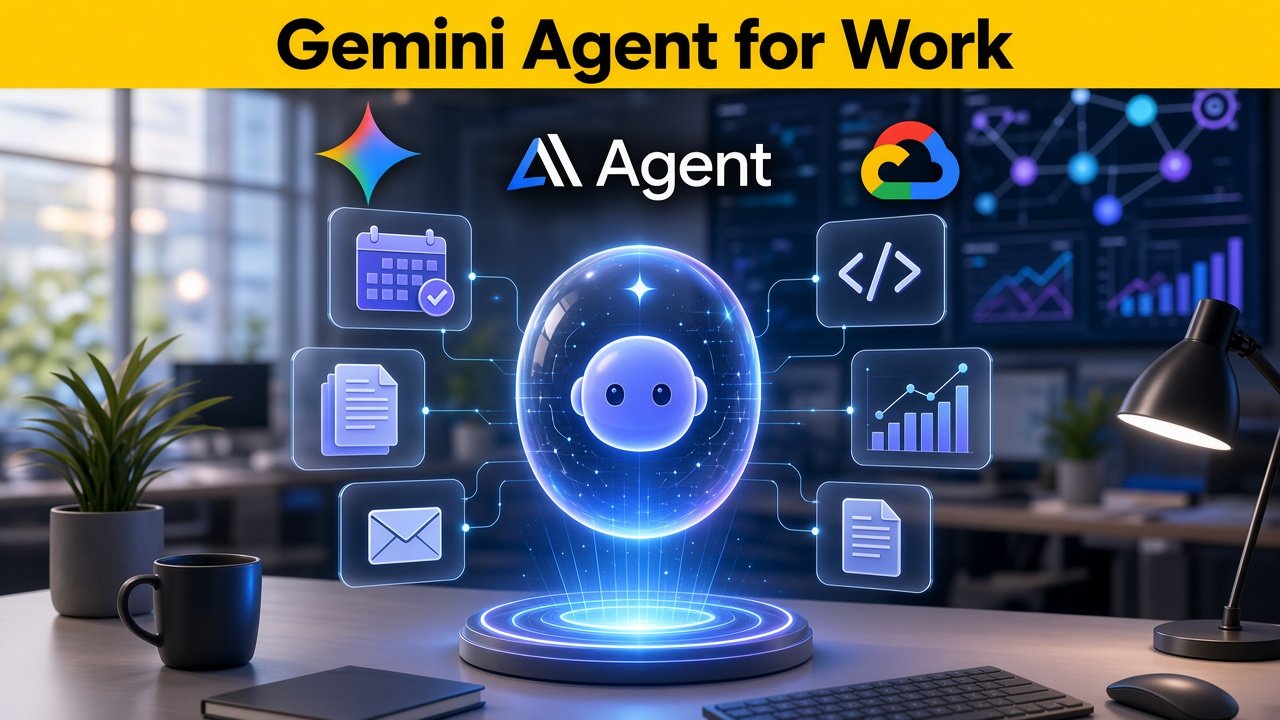
The Gemini agent is what Google Cloud calls a universal agent for work. You type a goal into one prompt box. The agent then plans the steps and does the work for you. Google says it returns finished output inside the documents, inbox, and developer tools you already use.
I think the easiest way to understand it is this: a chatbot answers, and an agent acts. That difference sounds small, but it changes how you plan, test, and control the tool. I have not had hands-on access to this product, so I wrote this guide from Google’s own pages, its documentation, and press reports from the launch. I will tell you clearly what is confirmed and what is not.
How Google’s Workplace Agent Is Intended to Operate
Google says the agent draws on your business context. It plans the job, chooses skills and tools, and connects to the business systems of Google Cloud customers. Then it delivers the result where you already work. One report describes it as chat, an autonomous worker, and a coding agent combined in one interface.
The basic flow is simple. It has four steps. I list them below.
- You state an objective. For example, “Prepare a summary of last quarter’s support tickets.”
- The agent plans. It breaks the goal into smaller tasks.
- It uses skills and tools. These are saved procedures and connections to your apps.
- It returns the work. The output appears in a document, email, sheet, or code environment.
Thomas Kurian, who leads Google Cloud, reportedly said that work now starts in the prompt window. That is a strong claim. In my view, it is a vision, not yet a proven daily reality. I would treat it as a goal to test, not a fact to assume.
What Was Announced at Gemini at Work 2026?
The Verified Product Launch and Key Capabilities
Google Cloud introduced the Gemini agent on October 8, 2026, at its Gemini at Work 2026 event. Google’s announcement page calls it “your new single, universal agent for work.” The page names four uses: knowledge work, answering questions, content creation, and coding. It also points to model selection, built-in cost controls, and enterprise security, administration, and governance.
Many details came from press coverage and third-party analysis, not from Google’s short announcement page. So I use three labels in this guide. Confirmed means Google states it on an official page. Reported means credible media or analysts describe it. Unconfirmed means I could not verify it.
| Claim | Status | Where it comes from |
|---|---|---|
| Announced on October 8, 2026 at Gemini at Work | Confirmed | Google announcement page |
| One agent for knowledge work, Q&A, content, and coding | Confirmed | Google announcement page |
| Model selection, cost controls, enterprise governance | Confirmed (described, not detailed) | Google announcement page |
| Named integrations such as Slack, Jira, and Salesforce | Reported | Press coverage of the launch |
| Agent Gateway, agent identities, spending caps | Reported | Press coverage of the launch |
| No extra charge where Gemini Enterprise is offered | Reported | Press coverage; verify with Google |
| Claude models available to choose | Conflicting | One analysis found the blog and the FAQ disagree |
| General availability date | Unconfirmed | Described as early access; no date given |
| Agent price | Unconfirmed | Not published on launch pages |
What Google’s Summary Page Does Not Say
Google’s short announcement page does not list pricing, availability dates, named models, or named integrations. It links to a longer Google Cloud blog post and a keynote recording for more. I could not open that longer blog post in my research, so I used reports that quote it. If you plan a purchase, read Google’s full post and ask your account team to confirm each point in writing.
How the Gemini Agent Works
Planning, Tool Use, and Task Completion
You give the agent an objective, not a list of steps. It then works out the steps by itself. Reports say it runs in Google’s cloud, so long jobs can continue after you close your laptop. For big jobs, it can create temporary helper agents, and each helper gets its own audit identity.
Google’s examples, as reported, include scheduling a meeting with an event team by checking chats, emails, and calendars. Another example is researching market trends, building a financial model in Sheets, and turning it into a slide deck. I like these examples because they cross several apps. That is where an agent should help the most, and where a plain chatbot struggles.
Memory and Coworker Mode
Reports say the agent has persistent memory. One report lists four types: task, knowledge, how-to, and history. Another analysis lists session, semantic, procedural, and episodic memory. The names differ, so I would wait for Google’s documentation before relying on either list.
In “coworker” mode, the agent reportedly gets its own Gmail address, calendar, and file storage. It shows up under its own name in document edit histories. I think this is a smart design for accountability, because you can see who changed what. It also means you must treat the agent like a new employee and give it only the access it needs.
What Tasks Can It Handle?
Knowledge Work, Content Creation, and Coding
Google names three broad areas. Knowledge work includes research, answering questions, and preparing reports. Content creation includes drafts, documents, and slides. Coding includes writing, running, and fixing code.
| Area | Example tasks | My starting risk level |
|---|---|---|
| Knowledge work | Summarize documents, answer policy questions, prepare meeting briefs | Low, if a person checks the sources |
| Content creation | Draft reports, build slide decks, write first versions of emails | Low to medium, because brand and facts need review |
| Coding | Write scripts, fix small bugs, draft tests | Medium, because code can break systems |
| Actions in other systems | Create tickets, update records, send messages | High, because mistakes leave your building |
My advice is to start where a mistake is cheap. Research and first drafts are good places to begin. A person should read the result before it goes to a customer, a client, or production. Once the agent proves itself, you can give it more freedom step by step.
How It Connects to Business Systems
Review Documented Integrations and Requirements
Press reports list many supported tools. They include Slack, Teams, Microsoft Office, Google Workspace, Confluence, Git, Jira, Salesforce, ServiceNow, BigQuery, Databricks, Postgres, and Snowflake. Reports also say it can reach files on employee desktops. Other tools can connect through the Model Context Protocol, often shortened to MCP.
Please note that this list is reported, not confirmed on Google’s summary page. Reports also say agents sign in to third-party software as themselves using the standard “Sign in with Google” system. Traffic reportedly passes through an “Agent Gateway,” which Google describes as an AI network firewall. One analysis found no confirmed way yet to trigger the agent from outside workflow tools, so automation builders should check this before planning.
Questions to Ask Before You Commit
- Which of my apps are supported today, and which are only planned?
- Does each connection use the agent’s own identity or a shared account?
- Can I limit the agent to read-only access in each app?
- Is there an API or trigger to start the agent from other tools?
- What happens to my data when I disconnect an app?
How Gemini Works With Google Workspace
Check Support for Gmail, Drive, Docs, Sheets, and Calendar
Reports say the agent works inside Google Workspace, Microsoft 365, and Slack. For Workspace teams, the most useful part is the daily apps you already use. The table below shows what the reports suggest and what you should check yourself. I would never skip the “verify” column.
| App | What reports suggest | What to verify in a pilot |
|---|---|---|
| Gmail | Finds people from email and chat; agent may have its own address | Can it send mail, or only draft? |
| Calendar | Checks calendars and schedules meetings | Does it respect private events and time zones? |
| Drive | Agent may have its own file storage | Which folders can it read and write? |
| Docs | Edits appear under the agent’s name | Does version history show clear changes? |
| Sheets | Builds models, such as a financial model | Are formulas correct and traceable? |
| Slides | Turns research into a deck | Does it keep your template and brand rules? |
Admins should also remember that Workspace and Gemini Enterprise are different products with different plans. One analysis notes that the existing editions and the new agent are separate things, and that pricing details were not confirmed. So do not assume your current Workspace plan includes the agent. Ask Google or your reseller for a clear yes or no.
How Skills and Tools Extend the Agent
Reusable Procedures and External Actions
A skill is a saved way of doing a task. A tool is something the agent uses to act, such as a connection to an app or database. Reports say skills can be registered at the company, department, or personal level. Tools can include MCP servers.
Here is how I like to explain it. A skill is a recipe, and a tool is the kitchen equipment. A good recipe makes the result the same each time. Good equipment lets the cook finish the job.
Good First Skills to Write
- A weekly report in your exact format
- A brand voice check for drafts
- Support ticket sorting rules
- Meeting preparation notes from your calendar and files
- A research brief with a required source list
When I write a skill for any AI tool, I keep three things in it: the goal, the steps, and the stop rules. Stop rules tell the agent when to ask a person. For example, “If the data is missing, stop and ask.” This one line prevents many silent errors.
Gemini Agent vs a Traditional Chatbot
Answers Compared With Multistep Execution
A chatbot waits for each prompt and gives an answer. An agent takes a goal, plans steps, and uses tools until the job is done. That does not make the agent better in every case. For a quick question, a chatbot is faster and cheaper.
| Feature | Traditional chatbot | Gemini agent (as described) |
|---|---|---|
| Input | One prompt at a time | A goal or objective |
| Output | Text answer | Finished work in documents, inbox, or code tools |
| Actions | Usually none | Uses skills, tools, and connected systems |
| Memory | Often limited to the chat | Reported persistent memory |
| Controls needed | Light | Identity, permissions, logs, cost caps |
| Main risk | Wrong answers | Wrong answers plus wrong actions |
I believe the last row matters most. A wrong answer in a chat can be ignored. A wrong action in your CRM or inbox can cost real money. That is why I want strong controls before I give any agent real access.
Gemini Agent vs Personal AI Assistants
Enterprise Governance Versus Personal Workflows
Personal AI assistants are built for one person. They help with your own tasks, notes, and files. The Gemini agent is built for organizations, with shared rules, roles, and audit trails. These are different goals, so I would not call one simply better.
| Question | Personal assistant | Workplace agent |
|---|---|---|
| Who sets the rules? | The user | IT and security teams |
| Who sees the activity? | Mostly the user | Admins, through logs |
| Data access | Personal accounts and files | Company systems and shared data |
| Cost control | Monthly plan | Reported project-level spending caps |
| Best for | Individual productivity | Team workflows and shared processes |
If you are a freelancer or a very small team, a personal assistant may be enough. If you handle customer data, finance, or regulated records, governance matters more than convenience. I would pick the tool by the risk of the work, not by the hype around it. Reports also say Google entered this market later than some rivals, so the real test will be steady daily use.
Best Business Use Cases
Research, Reporting, Operations, and Content
Research and Reporting
Research is the use case I trust most for early tests. The agent can gather information, compare sources, and draft a brief. A person then checks the facts and the sources. This keeps the human in charge while saving hours of reading.
Operations
Operations work includes scheduling, ticket sorting, and status updates across tools. These tasks follow clear rules, which suits an agent. They also touch real systems, so I would begin with read-only access. Add write access only after the results prove reliable.
Content
Content teams can use the agent for outlines, first drafts, slide decks, and brand checks. I would still keep a human editor on everything that goes public. Facts, tone, and legal claims need a careful eye. The agent saves time on structure and drafting, not on judgment.
On launch day, Google named several customers using Gemini Enterprise, including Balyasny Asset Management for agentic financial research and Orange Spain for more than 1,000 custom agents. Others included The RealReal, Zip, Cooley, and On. These are Gemini Enterprise stories, so I would not read them as proof of results from the new Gemini agent. They do show the kinds of work companies are trying to automate.
Gemini for Developers
Evaluate Coding Tasks and Review Requirements
Google lists coding as one of the agent’s main uses. Reports mention Git among the supported tools and describe the agent as able to write and run code. For developers, the question is not whether it can produce code. The question is whether the code is correct, safe, and easy to maintain.
I would never merge agent-written code without review. Treat it like a pull request from a new junior developer. Run the tests, read the diff, and check for hidden changes. If the agent touches secrets, deployment files, or payment logic, require a senior reviewer.
A Simple Coding Review Checklist
- Work in a separate branch, never on the main branch
- Require automated tests to pass before review
- Scan for exposed keys, passwords, and tokens
- Limit repository access to the project at hand
- Log every command the agent runs
- Ask a person to approve each merge
How to Evaluate Agent Accuracy
Create Measurable Test Tasks and Acceptance Criteria
Do not judge an agent by a good demo. Judge it by repeated tests on your own work. I would start with about 20 real tasks that people in your team already do each week. For each task, write down what a correct result looks like before you run it.
- Pick real tasks. Use work from the last month, not made-up examples.
- Write acceptance criteria. List the facts, format, and limits a good result must meet.
- Run each task more than once. Agents can give different results on the same prompt.
- Have a person score the result. Use a simple pass, partial, or fail grade.
- Record time and cost. Compare them with how long the task takes today.
| Metric | How to measure it | Why it matters |
|---|---|---|
| Task success rate | Share of tasks that pass your criteria | Shows basic reliability |
| Factual error rate | Wrong or unsupported claims per task | Shows risk of hallucination |
| Rework time | Minutes a person spends fixing output | Shows real time saved |
| Cost per completed task | Total spend divided by passed tasks | Shows if the economics work |
| Escalation rate | How often the agent correctly asks for help | Shows safe behavior |
With any new tool, rework time is the number that people forget. A tool can produce output fast and still waste time if you must rewrite most of it. That is why I measure the full cycle, from request to approved result. If that time does not drop, the tool is not helping yet.
How to Control Permissions
Limit Access to Necessary Data and Actions
Reports say each agent has its own identity and role-based limited access. Company rules are set once by IT and apply to all agents. One reported example is blocking agents from opening documents marked “Need to Know.” This is the right idea, and I would apply the principle of least access everywhere.
Google’s Gemini Enterprise security documentation adds useful detail. It says access is governed by IAM, and it supports Workforce Identity Federation, Google Identity, and Workload Identity Federation. It recommends Workforce Identity Federation when data flows through third-party connectors. It also warns that admin roles that can change attribute mappings could be misused to impersonate users, so give them only to trusted administrators.
Least-Access Checklist
- Start with read-only access in every connected app
- Give the agent only the folders, sites, and projects it needs
- Block sensitive labels such as “Need to Know” documents
- Require human approval for sending, deleting, paying, or publishing
- Review access every month and remove what is unused
How to Audit Agent Actions
Logging, Oversight, and Accountability
Reports say every action is logged under the agent’s name. That is good for accountability. Google’s Gemini Enterprise documentation says the product creates Cloud Audit Logs for administrative and access activity. Admin Activity logs cover changes such as creating or updating an engine, and Data Access logs cover reads and writes such as search and StreamAssist calls.
The documentation shows how to view these logs in Logs Explorer by filtering on the service name discoveryengine.googleapis.com. It also points to a separate Cloud Logging guide for turning on Data Access audit logs. I would check that these logs are on before the pilot starts, not after a problem. Google also advises sending Workforce Identity Federation audit logs to your SIEM, which is a good habit.
My Weekly Review Routine
- Open the agent’s activity log and sort by action type.
- Look for actions outside the expected workflow.
- Check any failed or repeated tool calls.
- Sample five finished tasks and compare them with the logs.
- Write down issues and update the skill or permission that caused them.
Enterprise Data Protection
Review Security Documentation and Organizational Policies
Google’s Gemini Enterprise documentation states that data is encrypted by default. Customers can use customer-managed encryption keys, and External Key Manager and hardware security modules are also supported with limits. The product integrates with VPC Service Controls. The page also says user-requested data is deleted within 60 days, according to Google Cloud’s deletion documentation.
Please read these documents for what they say and what they leave out. The security overview page I reviewed does not say whether customer data is used to train models, so check your contract terms. It also notes that third-party connectors call public endpoints outside Google’s network, which VPC Service Controls does not block by default. These pages describe Gemini Enterprise, so ask Google to confirm that every control applies to the new agent.
| Question | What the documentation says | What I would ask Google |
|---|---|---|
| Is data encrypted? | Yes, by default; CMEK, EKM, and HSM options | Do these apply to agent memory and logs? |
| Who controls access? | IAM and identity federation options | How are agent identities mapped to roles? |
| Network protection? | VPC Service Controls integration | How are third-party connector calls restricted? |
| Training on my data? | Not stated on the page I reviewed | Please confirm in writing in my contract |
| Data deletion? | User-requested deletion within 60 days | Does this include agent memory? |
Managing Agent Costs
Measure Usage and Set Operational Limits
Google says the agent has built-in cost controls and chooses a suitable model for each task. Reports add details. Simple tasks can be routed to cheaper models, projects can have hard spending caps, and spend can be tracked by project for department chargebacks. If a cap is reached, the agent reportedly pauses until someone resumes it.
Pricing is not published on Google’s launch pages. One report says the agent comes at no extra charge where Gemini Enterprise is offered, while another analysis found the price unconfirmed. I would trust neither until I saw it in my own contract. Agents can use far more compute than a chat, so a cap is not a luxury.
Cost Habits I Recommend
- Set a small monthly cap for every pilot project
- Track cost per completed task, not just total spend
- Use cheaper model settings for simple work if the platform allows it
- Review the most expensive tasks each week
- Stop runs that loop or repeat the same step
Limitations and Failure Modes
Hallucinations, Tool Errors, and Prompt Injection
Hallucinations
Agents can state false things with great confidence. When an agent builds a report from many sources, one wrong fact can flow into the final work. I ask for source links on every claim and I spot-check them. A report without sources is a draft, not a result.
Tool Errors
An agent can call the wrong tool, use old data, or fail halfway through a job. Some failures are quiet, and the agent may say “done” when it is not. Logs and test cases help you catch these cases. I also like skills that end with a self-check step.
Prompt Injection
Prompt injection happens when hidden text in an email, web page, or file tells the agent to do something different. A normal reader would ignore it, but an agent may follow it. This is a real risk for any agent that reads outside content and has access to tools. Reports describe an isolated workspace and a gateway that acts as an AI network firewall, which helps, but I would still limit what the agent can do after reading untrusted content.
Limited Access and Maturity
Reports describe access as limited, with financial services and legal versions in preview and other industry versions planned. That means features, names, and rules may change. One analyst view in the coverage says the real test is widespread production use. I agree, and I would plan for change.
How to Run a Workplace Pilot
Choose a Low-Risk Workflow and Measure Results
A good pilot is small, clear, and easy to reverse. Pick one workflow, one team, and one owner. I suggest a 30-day pilot with weekly reviews. Keep the agent away from payments, hiring, and customer-facing messages in this first round.
- Week 0: Prepare. Confirm access with Google, set permissions, turn on logs, and set a cost cap.
- Week 1: Baseline. Time how long the task takes people today and note the error rate.
- Week 2: Run in draft mode. The agent prepares output, and a person approves every result.
- Week 3: Compare. Score accuracy, rework time, and cost per task against the baseline.
- Week 4: Decide. Expand, adjust, pause, or stop based on the scorecard.
A Simple Decision Framework
| Decision | When it fits | Next step |
|---|---|---|
| Go | High pass rate, low rework, costs under control, logs clean | Expand to a second workflow with the same controls |
| Adjust | Good results on some tasks, weak on others | Improve skills and permissions, then retest |
| Wait | Access, pricing, or key integrations still unconfirmed | Revisit when Google publishes full documentation |
| Stop | Frequent errors, unsafe actions, or unclear data handling | Document findings and return to manual work |
I use this simple table because teams often drift into full rollout after one good demo. A written rule such as “pass rate above our target for two weeks” keeps the decision honest. Pick your target before the pilot starts. Then the data decides, not enthusiasm.
When Should a Business Avoid Automation?
Identify Sensitive Decisions Requiring Human Control
Some decisions should stay with people. These are choices that affect someone’s job, money, health, rights, or safety. An agent can prepare information for such decisions, but a person should decide and take responsibility. I hold this line firmly.
- Hiring, firing, and performance decisions
- Legal advice and contract approval
- Medical or safety decisions
- Large payments and financial approvals
- Regulated filings and compliance statements
- Sensitive customer messages, such as apologies or disputes
- Security changes in production systems
Avoid automation too when your data is poor, your process is unclear, or no one owns the result. An agent will not fix a broken process. It may only make the same mistakes faster. I would fix the process first, then automate it.
Frequently Asked Questions
Availability, Integrations, Pricing, and Security
What is the Gemini agent for work?
It is Google Cloud’s universal agent for work, announced on October 8, 2026, at Gemini at Work 2026. You give it a goal in one prompt box, and it plans and does multistep tasks. Google lists knowledge work, answering questions, content creation, and coding as its main uses. It is designed to work with company context and business systems.
Is the Gemini agent available to everyone?
Not yet, based on what I found. Analysts describe it as early access, and one report says only a limited number of companies have access. Versions for financial services and legal are reported to be in preview. Ask Google or your reseller about your account, because no general availability date has been published.
How much does it cost?
Pricing is not published on Google’s launch pages. One report says it is offered at no extra charge where Gemini Enterprise is available, but another analysis could not confirm any price. I would get the cost terms in writing before any rollout. Also use the reported project-level spending caps during testing.
Which apps does it connect to?
Reports list Google Workspace, Microsoft 365, Slack, Teams, Confluence, Git, Jira, Salesforce, ServiceNow, BigQuery, Databricks, Postgres, and Snowflake. Other tools can connect through the Model Context Protocol. These lists come from press coverage, so check each integration against Google’s documentation. Test every connection with read-only access first.
Can I choose which AI model it uses?
Google says the agent selects the best model for each task, and reports say users can also choose a model. Coverage mentions Google’s models and Anthropic’s Claude models, with more to follow. One analysis found conflicting statements about Claude access between Google’s blog and its FAQ. Confirm which models your account can use.
Is my company data safe?
Google’s Gemini Enterprise documentation describes default encryption, customer-managed keys, IAM, VPC Service Controls, and audit logging. Reports describe agent identities, role-based access, and an Agent Gateway. These pages do not answer every question, such as model training on customer data. Ask Google to confirm in writing which controls apply to the Gemini agent.
Will the agent replace employees?
I do not think so, and Google’s announcement does not claim that. It describes an agent that takes on multistep tasks, with controls for oversight and governance. In my view, the best use is to remove repetitive work so people can focus on judgment and relationships. Your policy and your team should decide how that change is handled.
How should a small team start?
Start by confirming access, then pick one low-risk task, such as research summaries. Use read-only permissions, set a small cost cap, and review every result by hand. Record time saved, errors, and costs for 30 days. Then decide to go, adjust, wait, or stop.
My Bottom Line
The Gemini agent for work is a serious step toward AI that does tasks, not just answers questions. Its controls, such as agent identities, shared rules, logs, and spending caps, are what I find most interesting. At the same time, key details are still unconfirmed, including pricing, wide availability, and the full list of integrations. So I would treat it as a strong candidate for a careful pilot, not a switch to flip for the whole company.
If you try it, measure everything and keep people in charge of important decisions. I will update this guide when Google publishes more documentation. Until then, use the Confirmed, Reported, and Unconfirmed labels in this article as your checklist.
Related reading
Sources
- Google: Gemini at Work announcement
- Google Cloud Press Corner: Gemini at Work ’26
- Reworked: Google debuts its all-purpose Gemini agent for work
- SmartScope: Gemini agent analysis
- Activepieces: Gemini agent, what Google launched, pricing and limits
- Google Cloud docs: Gemini Enterprise security overview
- Google Cloud docs: Gemini Enterprise audit logging






One Comment
Comments are closed.